
Team
Billing
Manage payment methods and billing information
Manage payment methods and billing information from the "Billing" tab on the "Team Settings" page.
For Suite Plus (Enterprise) Plan Users
If you are using the Suite Plus plan, your billing is managed through invoice payments.
Payment Method Management
- You can edit payment methods (credit cards) through the Stripe Customer Portal
- Payment methods registered under previous plans may be displayed
- Since payments are made via invoices, online subscription management is not available
Invoice History
- Suite Plus plan invoices are not displayed on this screen
- Invoices are sent directly by your account representative
- If you previously used other plans, historical invoices from those plans may be displayed
Contact
For questions about billing, please contact your account representative.
For Paid Plans (Excluding Hobby)
Subscription Management
Click "Go to Subscription Management Page" to manage plan changes, update payment methods, view invoices, and cancel subscriptions.
Billing Email Address
- Edit your billing email address
- Invoices will be sent to this email address
Payment Method Settings
- View and edit credit card information
- The last 4 digits and expiration date of your card are displayed
Invoice History
- View and download past invoices
- Shows date, invoice number, amount, and status (paid, etc.)
Plans
View and change pricing plans from the "Plans" tab on the "Team Settings" page.
View Plans
- View your current plan and available plans
- Switch between monthly/annual billing
- See features (messages, agents, team members, etc.) and prices for each plan
Change Plans
- Select the plan you want to change to
- You can also change the billing cycle (monthly/annual) when changing plans
- If a promotion is active, regular pricing will apply after the promotion period ends
Canceling Your Subscription
You can cancel your paid plan subscription and switch back to the free Hobby plan.
How to Cancel
- Go to the "Billing" tab on the "Team Settings" page
- Click the "Go to Subscription Management Page" button
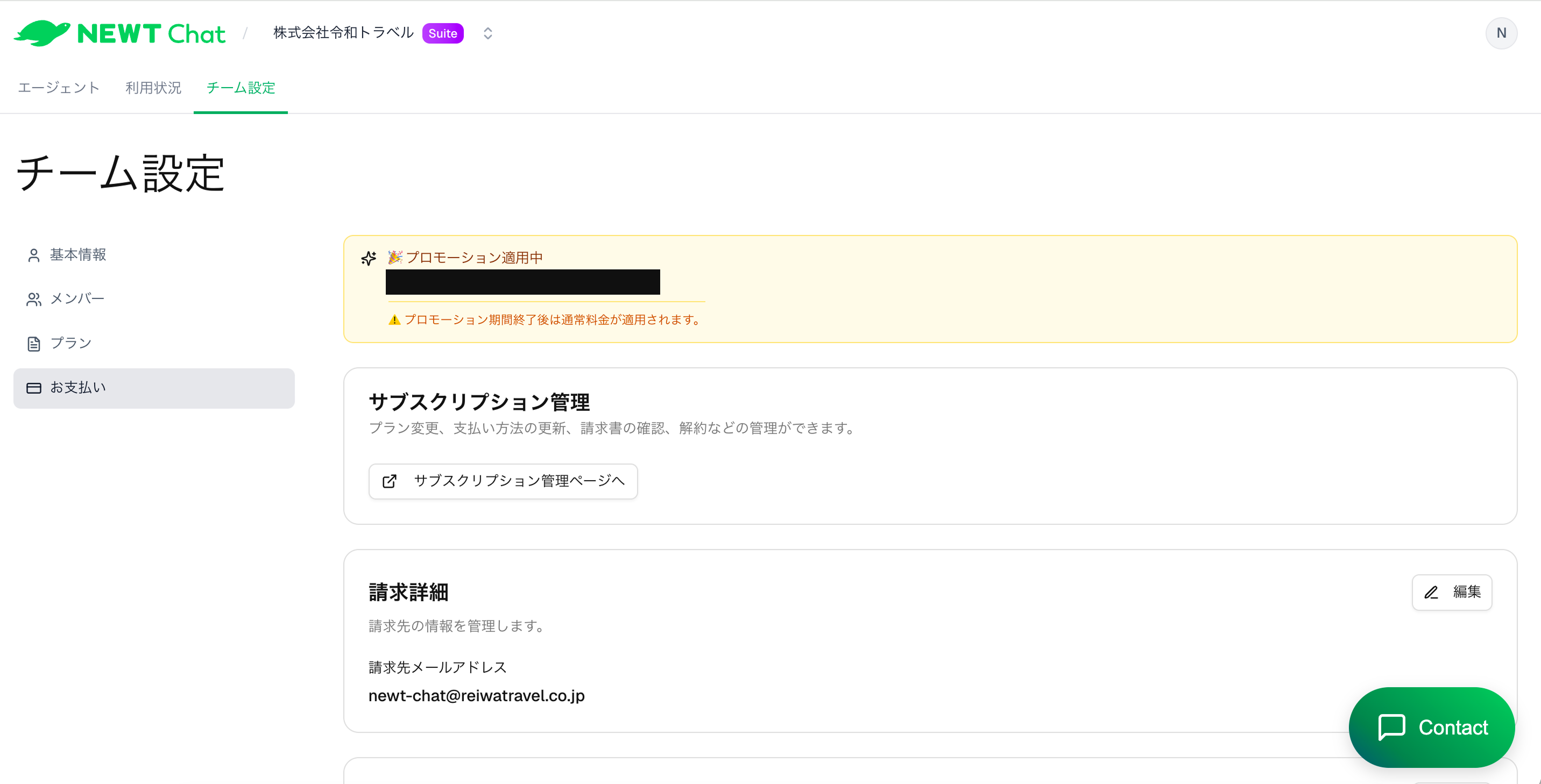
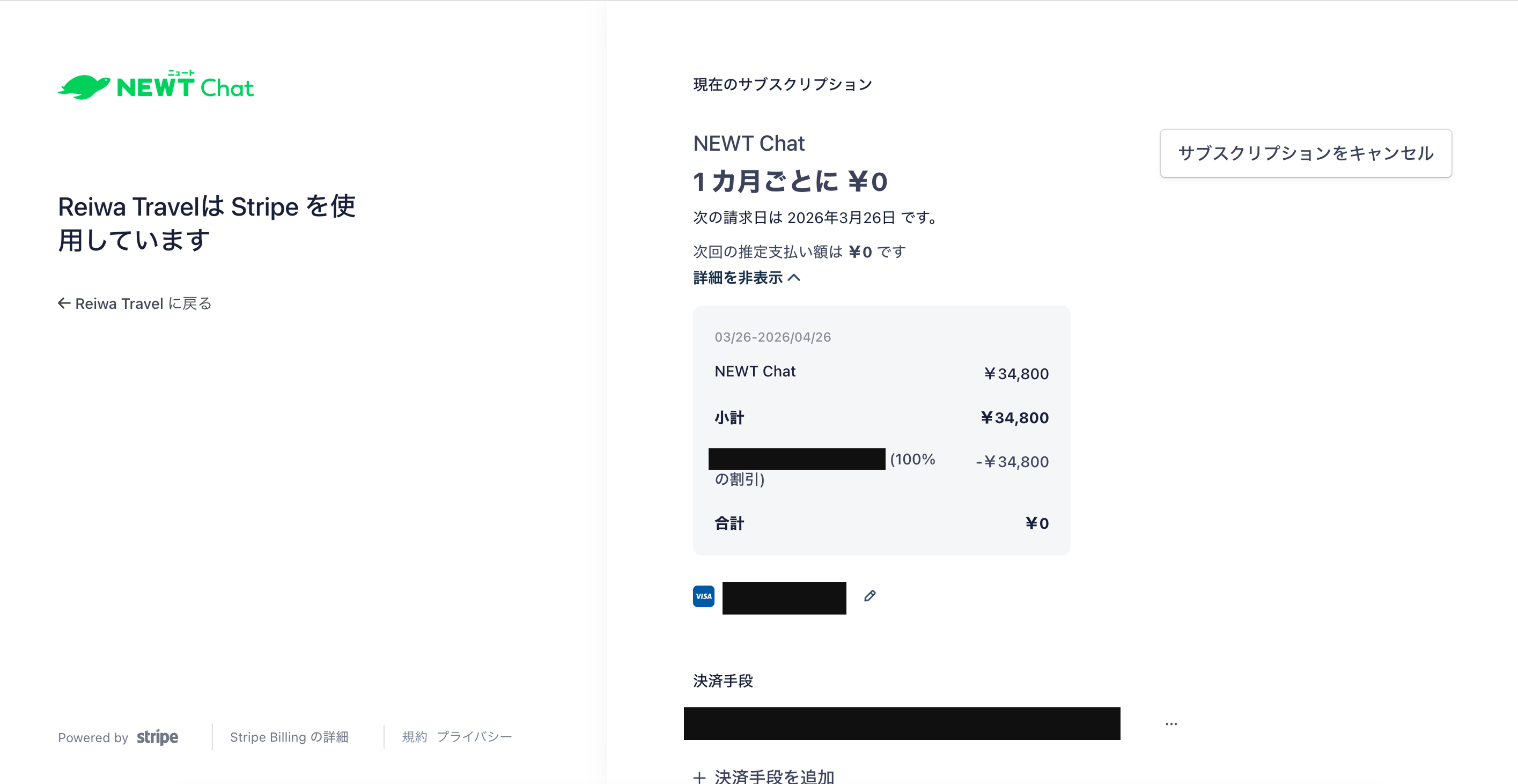
- The Stripe subscription management page will open
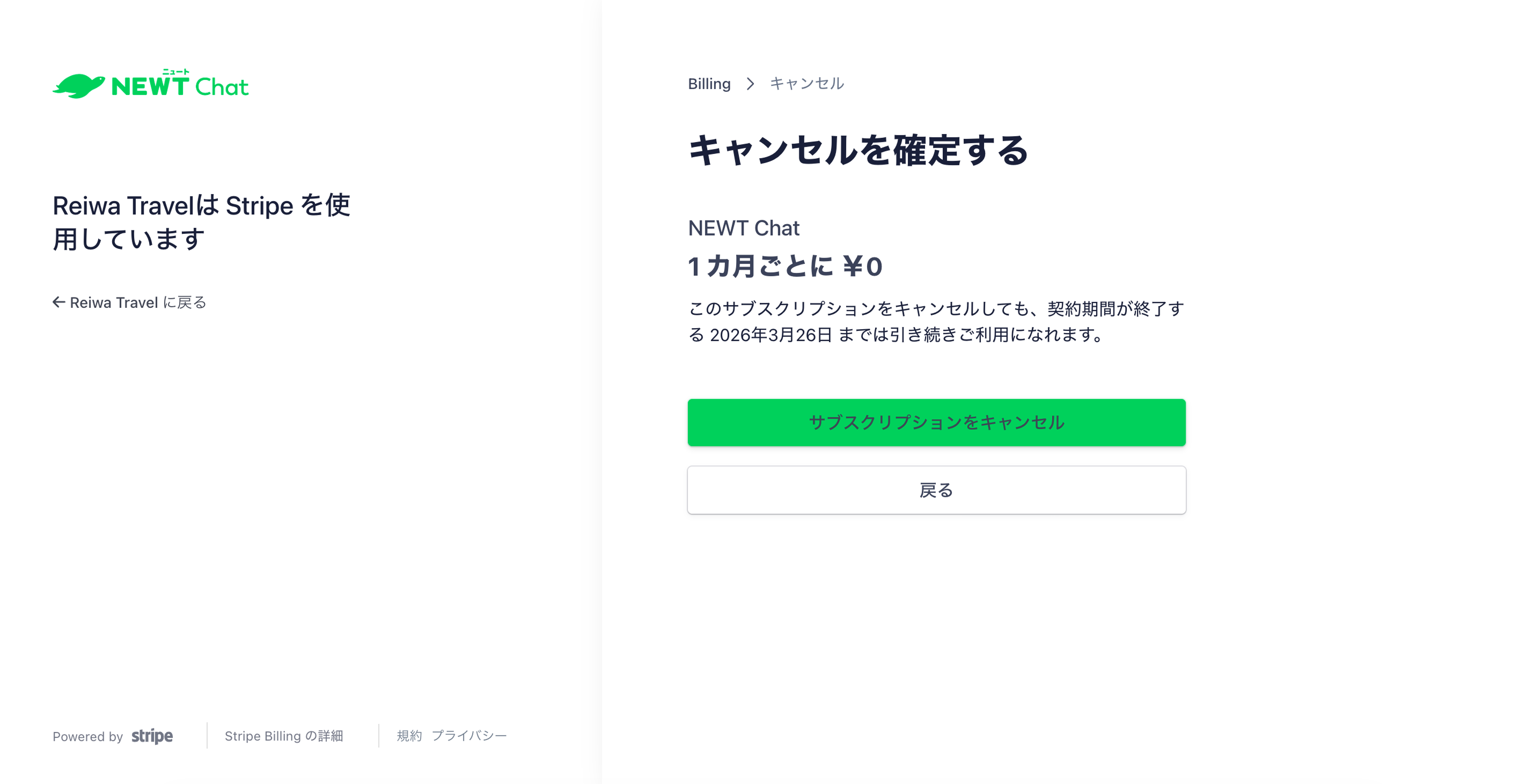
- Click "Cancel plan"
- Select a cancellation reason on the confirmation screen and click "Cancel plan" to confirm
What Happens After Cancellation
- Cancellation timing: You can continue using paid plan features until the end of the current billing period. After the billing period ends, your plan will automatically switch to the Hobby (free) plan
- Hobby plan limits: You can use up to 200 messages per month, 1,000 total messages, 1 agent, and 3 team members
- When the total message limit is reached: AI responses in the chat widget will be paused, and a service suspension message will be displayed. If the agent has contact information configured, it will also be shown
- Widget display: The widget will continue to appear on your website after cancellation, but Hobby plan limits will apply
Reversing a Cancellation
Before the billing period ends, you can reverse the scheduled cancellation from the Stripe subscription management page.